
The one-minute setup
From empty list to WhatsApp in three taps
The list stays outside the chat, where it cannot be buried under new messages. WhatsApp is simply the fast way everyone already has to open the same link.
- 1
Name it, or start ready-made
Type “Saturday shop” above, or choose Weekly groceries to begin with common items already added.
- 2
Add items and tap Share
The list page includes a WhatsApp share option. Send that link to a person or group.
- 3
Keep one source of truth
Anyone with the link can add and tick off items. Connected screens receive the changes in real time.
What you will see
Made to stay simple on a phone
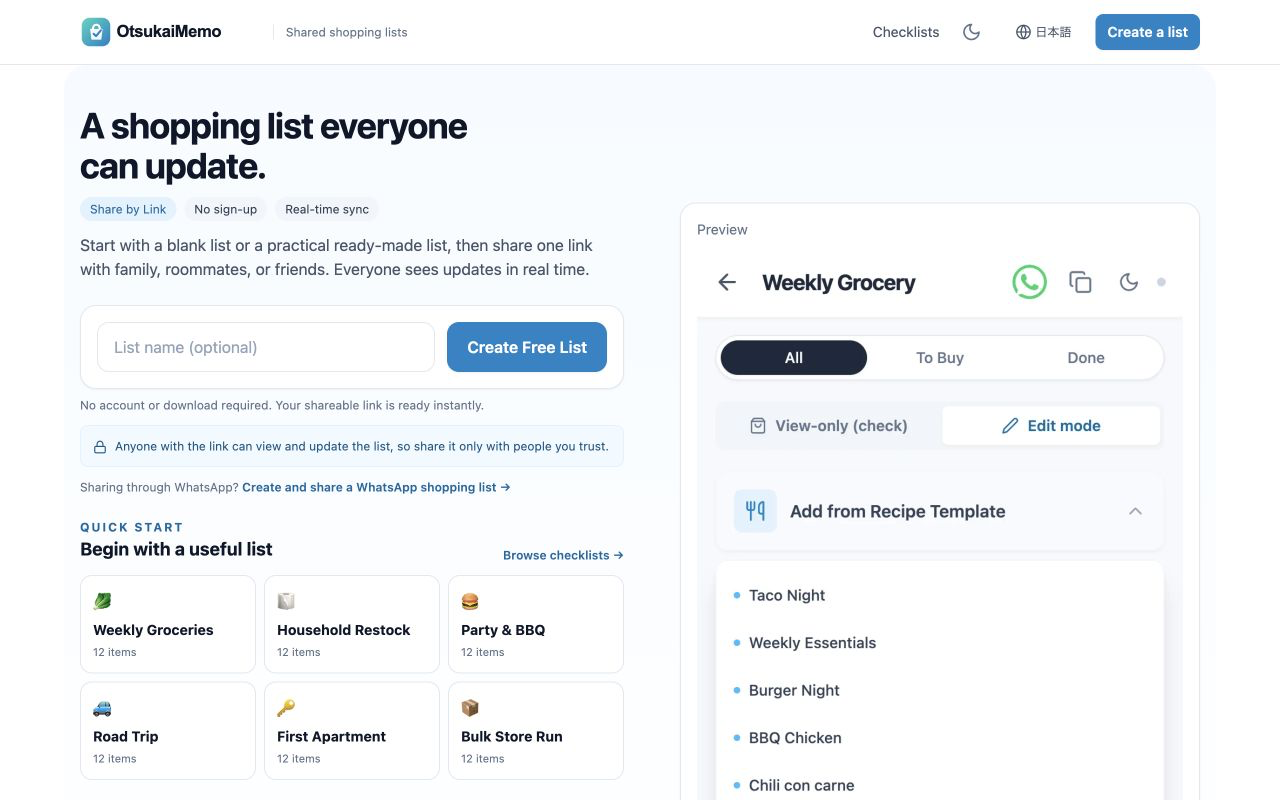
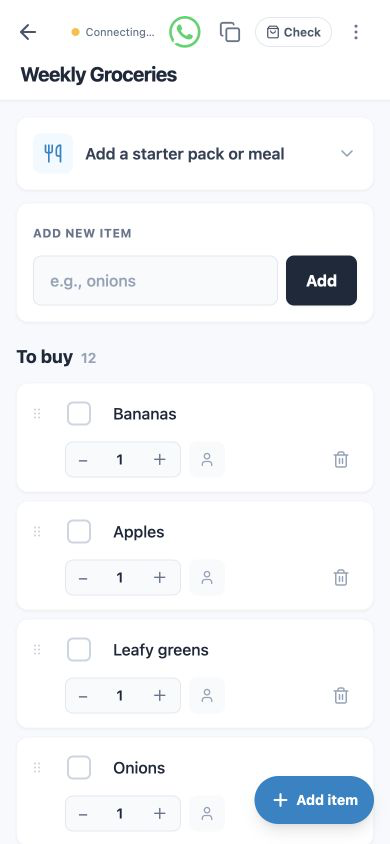
Screenshots from the English OtsukaiMemo interface, September 2026.
Honest answer
When a WhatsApp poll is enough
For a fixed set of choices or “who is bringing what?”, a poll may be all you need. WhatsApp allows up to 12 options, and people can vote without opening another page.
WhatsApp’s poll instructions ↗Use a live list instead when…
- →new items get added during the week
- →you need to remove, reorder or change quantities
- →the list is longer than a quick errand
- →you want “bought” to mean ticked off, not voted for
Want the full comparison? Read four ways to share a shopping list on WhatsApp.
Before you share
Simple by design, with clear limits
The link is the key
Anyone with the hard-to-guess list link can view and update it. Keep sensitive details out of the list, and share it only with people you trust.
Lists do not live forever
Standard lists expire after 30 days without access. Completed lists expire after 7 days. Opening an active list resets its inactivity timer.
Sync needs a connection
Real-time updates need internet access. If a connection drops, the app keeps local changes and retries when possible.
Quick answers
Frequently asked questions
Does WhatsApp have a built-in shared shopping list?+
No. The feature called Lists creates custom chat filters, not tickable shopping items. WhatsApp’s announcement describes categories for filtering conversations.
Does everyone need an app or account?+
No. The list opens in a modern web browser. The creator and the people receiving the link can use it without signing up or installing OtsukaiMemo.
Can two people update it at the same time?+
Yes. When both people open the same link, they can add, remove and tick off items. Connected devices receive the changes in real time.
Is the shared list private?+
It is not publicly listed, and its link is hard to guess. But anyone with the link can access it, so treat the link as the key and avoid sensitive information.
Will it work outside the UK?+
Yes. OtsukaiMemo is a browser-based service and the English interface can be opened from any supported region. It does not depend on a local app store.
Your next shop
One list. One link. Everyone up to date.
Start free, add what you need, then send the link to your WhatsApp chat.
Create your shared listRelated
Published 4 September 2026 · Reviewed by OtsukaiMemo editorial